Weather this year in Middle Tennessee has been nice, chilly but nice. Not a lot going on outdoors. So I’ve been 3d printing up a storm. Designing products for work, such as badge holder, mini-me’s for team, signs for our new offices, new desktop organizer, and the list goes on. Both Bambu printers have gone many days with non-stop printing with only very minor issues, generally at no fault of the printers. I see no stopping with these two for the remainder of Winter.
Bambu Lab 3d Printers
An Update:
As you might be aware, we run two Bambu Lab 3d Printers. A P1S (we call it the cheap one), and an H2D with two AMS units (the big one). Thru no fault of Bambu Labs we broke both of them. Mostly through trying to “fix”. Having not watched any YouTube videos before hand, we just ended up making matters worse. HOWEVER, we have been able to fix both printers, here is what happened.
The Big printer, had what we found out was a minor issue, filament broken it feed tube. We took it to mean there was a problem with feeding into the print head. So in trying to remove the feed tube, be broke the “Dual Extruder Idlers and Filament Sensor”. Basically the part that holds the feed tubes and directs filament into print head. And the Cheap one, wasn’t laying any plastic on plate, meaning it wasn’t printing. We tried using an “unclogged”, and ended up making the hole into the hothead bigger than it was supposed to be.
But ordering parts from Bambu labs was simple and not that expensive, waiting for them to arrive is the hard part. It takes at least a weekend and a half to get here. But we ended up stocking up on spare parts, mostly stuff prone to breaking (we assume).. And we have learned a lot about the care and maintenance of the printers.
So unlike the 3d printers we had in the past (see out on this site), we printed days with little or no issues, they break mostly through no fault of the printers themselves, they are very forgiving and doen’t cost an arm and a leg to fix.
Again, highly recommend any of the Bambu Lab printers.
BitMiner – failed (Updated)
Saw people using these, figured I’d try one.
Took over a month to arrive, had it put together and working fairly quickly. But it didn’t last. After about a week, I arrived in my office to see it at 80%. Assume it started an update. Let it sit there for a few hours, didn’t move. Rebooted, Bricked.
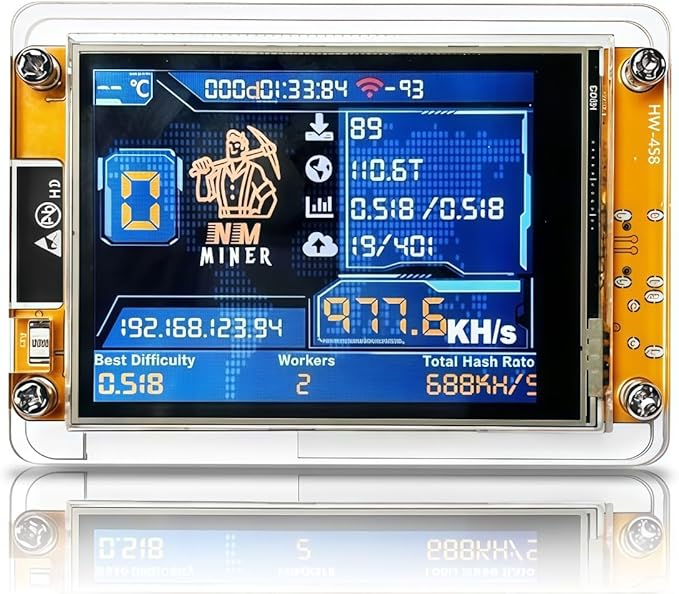
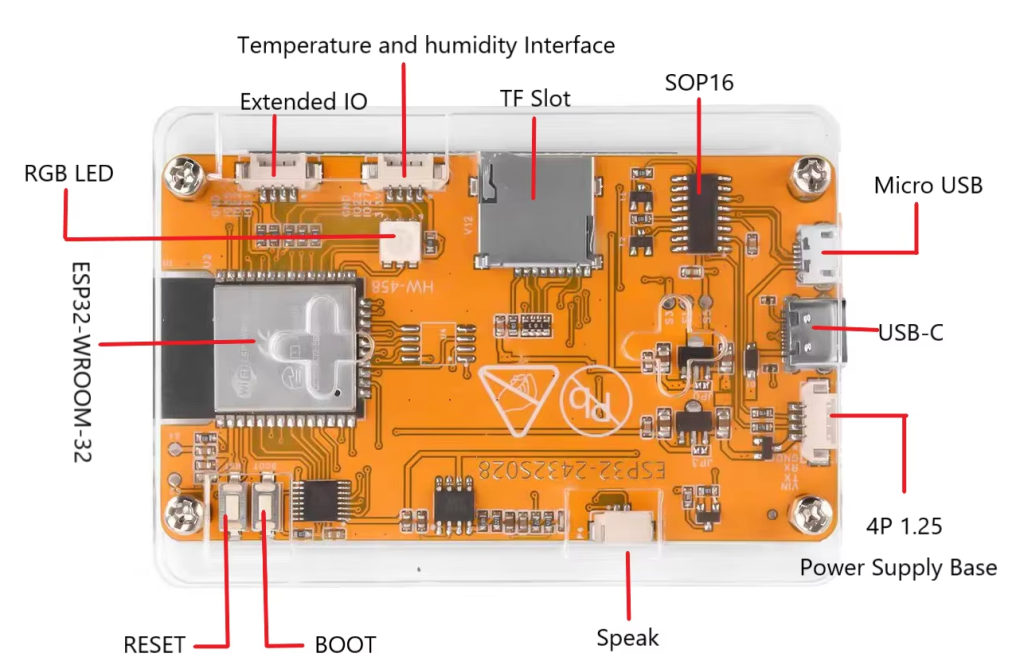
Tried for hours to look for bin files or software to reflash. None worked. So chalk this up to lesson learned. Will try to turn it into a media player or hacking tool. Will keep you updated.
UPDATE: During a quiet weekend, I was able to sit down and learn more about these bit miners. Unknown to me when I attempt to reflashed the device, I erased my license. A new license costs $3, so it wasn’t a big deal, however it would have been easy to recover license before flashing had a known. SO BEWARE!
Also depending on which unit you purchase, these can be daisy chained, which would be nice if you had more than one (thinking about getting another to up my odds LOL).
The stand/case it comes with isn’t the best, it falls over easily. So I am printing stands now. LOVE the 3d Printers!
OH and 80% means it wasn’t reaching the BitCoin Pool server, seems they changed/rearranged them. Once I learned that it was an easy fix, one that could have be avoided.
R40S PRO Retro Gaming Console
Saw this on Amazon and had to give it a try.
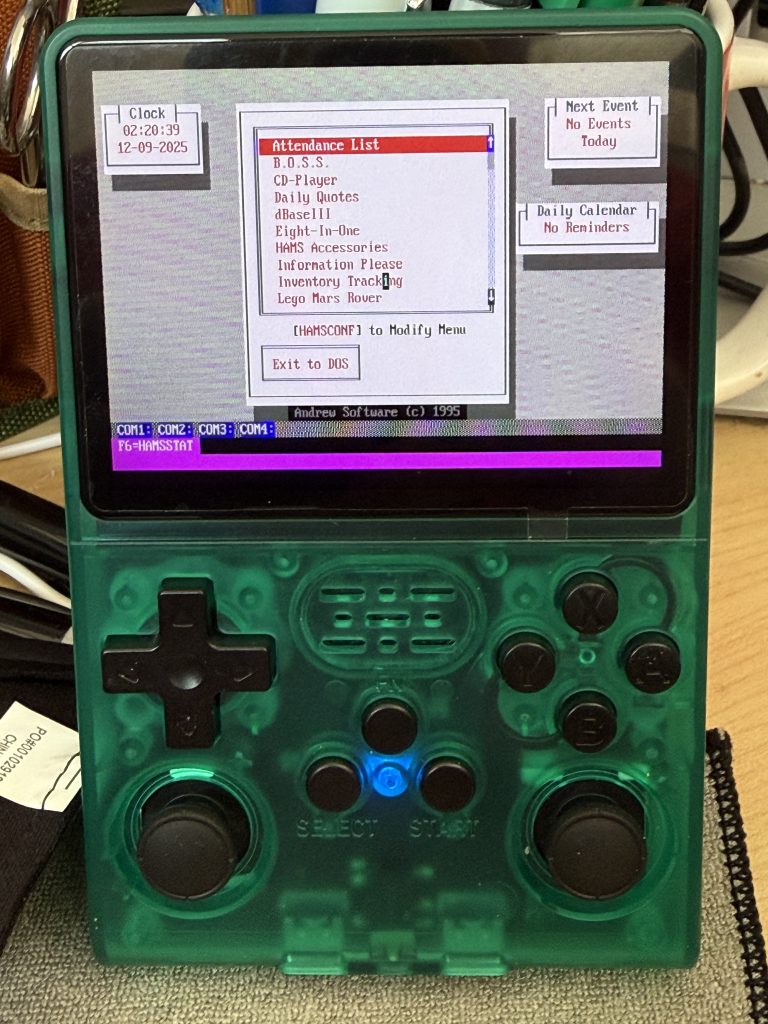
Handheld computer of sorts.
It was difficult to get the hang of navigation, but after a few web searches and YouTube Videos it works (pretty much).
Was never a gamer, but I wanted to give the DosBox in my hand a try. It was simple to Enable Remote Services to copy files over to device. You’ll needed a USB WiFi adapter. Go my wifi adapter off Amazon, $7.
As you can see the programs work great, WordPerfect, DBase, plus a few others.
Keyboard, and navigation is a problem, but mouse works. Still playing.
Device operates floating on the battery. You must fully charge battery before you start playing, otherwise you’ll be frustrated.
After you get the WiFi working do all the updates it brings in more features.
When you remote in, you’ll see lots of folders. I just copied my DOS Application folder from my Windows DosBox folder to the Dos folder, and it worked. I thought I was going to have to jump through a bunch of hoops, nope, it just worked.
It APPEARS to have Bluetooth but haven’t been able to test it yet. Figure this could be made into a little hacking tool, or tricorder for cosplay. Lots of possibilities.
Bambu Lab P1S
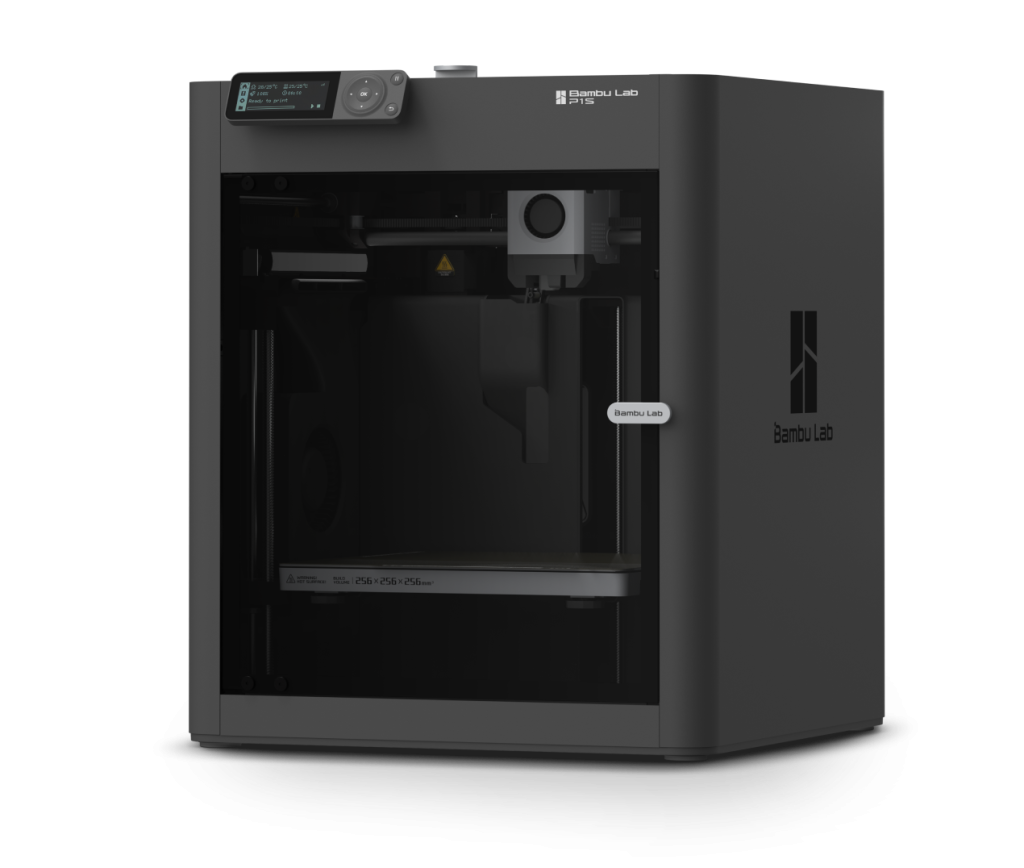
Have been having so much luck with he Bambu Lab H2D 3d printer, I wanted to try printing some TPU items. (TPU (Thermoplastic Polyurethane) filament is a versatile 3D printing material that is a blend of plastic and rubber, resulting in a durable, flexible, and high impact-resistant print. ) Problem is the AMS 2 doesn’t support TPU, it EATS it. Causing user to disassemble AMS to clear out the misfeed. So during their Black Friday sale (45% off) we purchased an older P1S JUST FOR TPU printing. This printer shows its age in the Bambu line of products. Smaller B/W display, smaller build area, one print head and speed. However it works. Slightly more difficult to setup than the H2D, but not painful at all. In less than 30 minutes of unboxing, we were printing flexible items. It does tend to string a bit more, and braces are a little harder to get off. But all and all, another great product.
Finally, a Garage
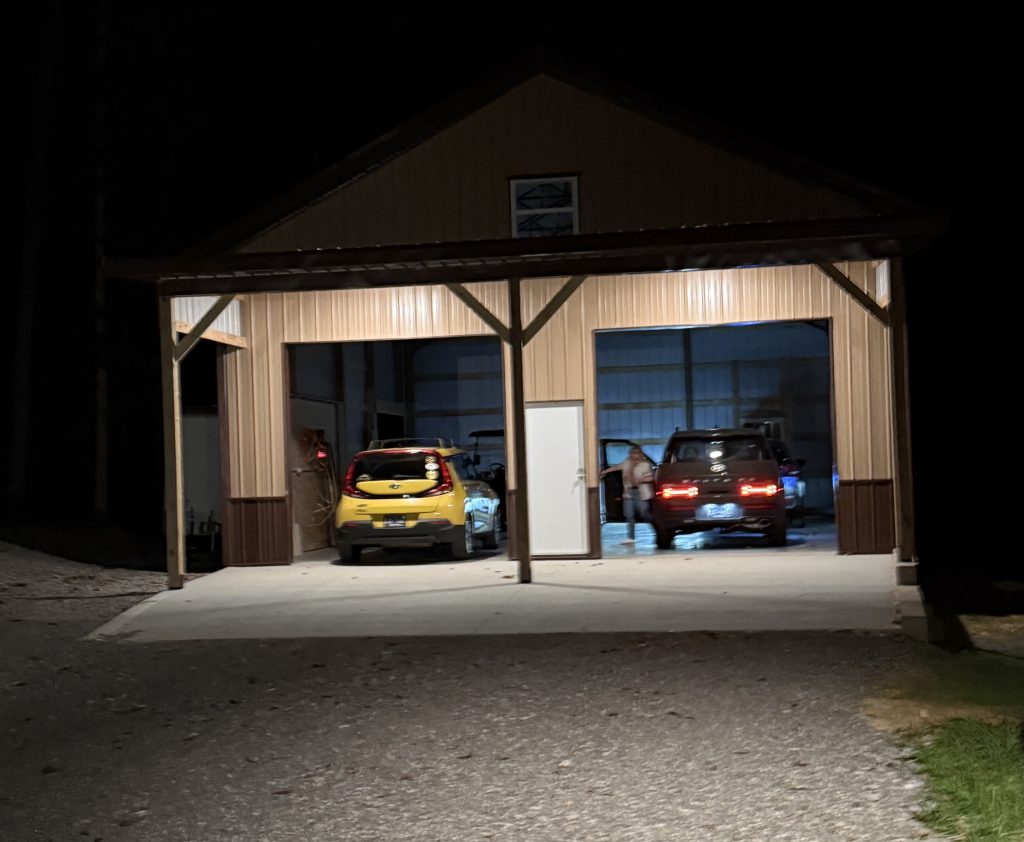
After years of yearly winter critter attacks on our autos, one that caused my truck to catch fire. We finally have a garage, we are still waiting for the doors. However at least in present condition it’ll keep snow and ice off the autos.
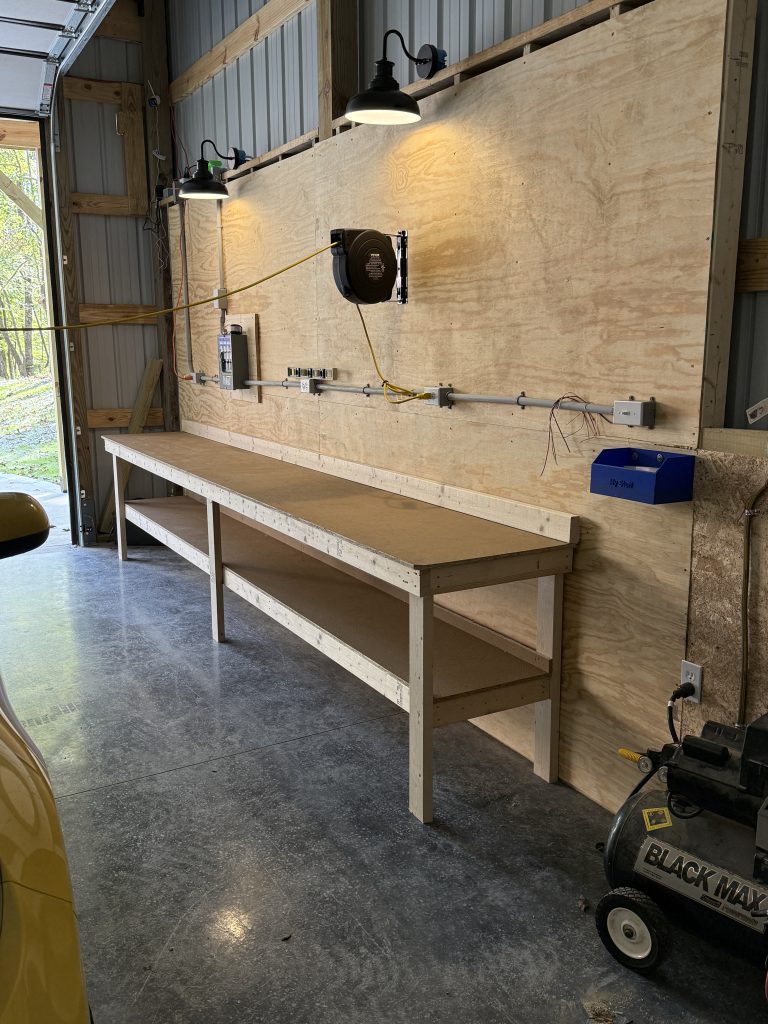
Added a Simi-finished wall, that contains power and added retractable power and air hoses as well.
Ordered a 24 foot work bench, should be here in a few weeks.
Back to 3D Printing with Bambu H2D
After a few years frustration with my old Robo printer, I thought it was time to upgrade and talk about an upgrade. The New Bambu Lab H2D is amazing! Can’t say it is idiot proof, cuz you need a little 3D print knowledge to get everything working. But once it works. WOW! I’ve printed more in the first two weeks of owning this printer than I could with my last three, without major issues! No clog cleaning, no miss-fed filament and only a small amount of spaghetti.
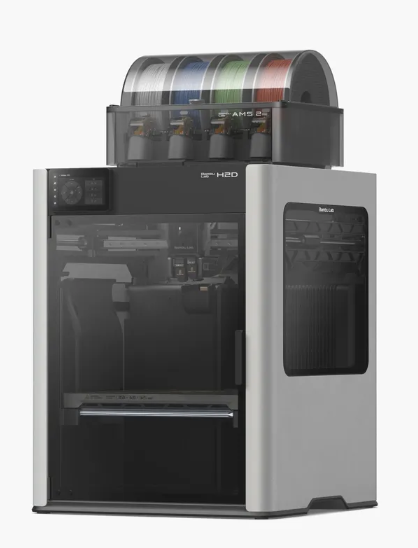
Purchased the AMS 2 as well, for multi-color printer was worried after seeing reviews of the first AMS. But it makes multi color printing almost effortless.
Oh, yeah, it is fast, after bed leveling and warm up, it flies.
The software so far has been pretty good, getting used to filament selection, learning that the external roll is required and counts as ‘1’.. But after that, I am printing like a mad man. The one thing I’ve noticed about the software it give and estimate cost of printing. One of those things I always wondered about.
Expect great thing from Bambu Labs. Lets hope they keep the current trend going.
Oh I am going to look into upgrading to the 40 watt laser add-on. So far it isn’t showing up as an add-on option. Only for purchase. It would need to replace the glass sides and attached to current print head, but I could see. it happening..
UPDATE: This printer is amazing. This is the first printer I’ve been able to run for DAYS without a single issue. So, impressed with it I ordered a second AMS 2 system, so now I can select from 8 spools of filament. The software is easy to figure out and use. — The Build area is MASSIVE.
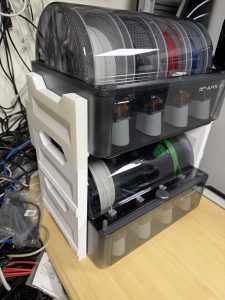
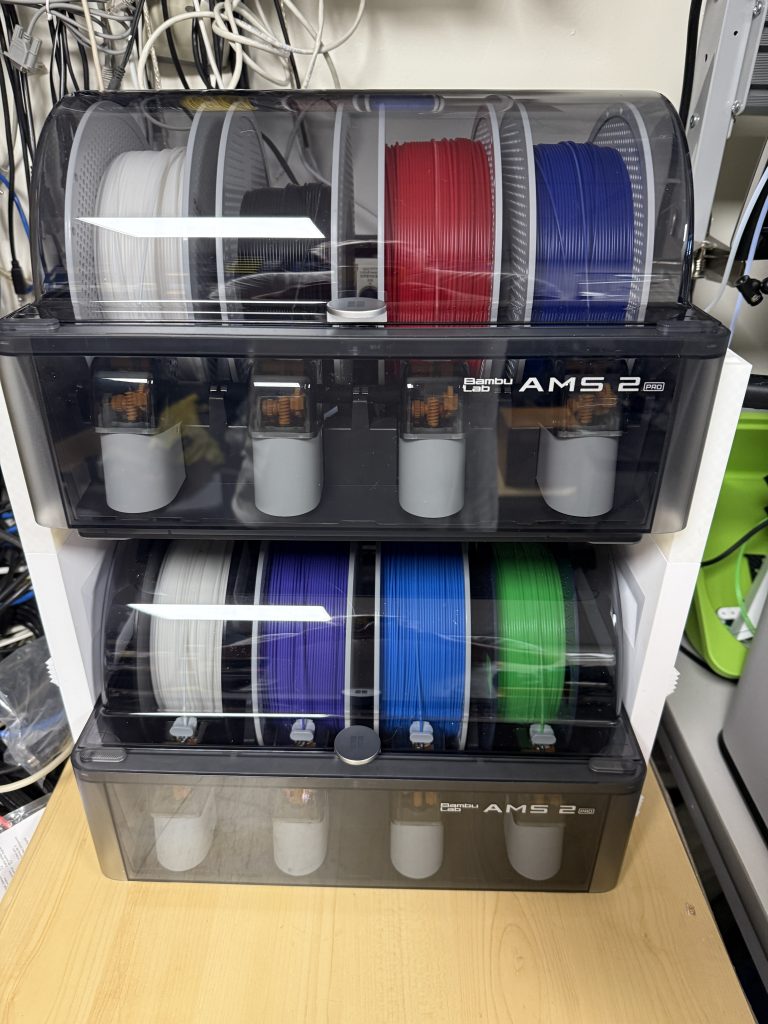
Added Second AMS – More Color, More Options at a price.
Getting stuff indoors done.
Winter makes staying indoors, the more enjoyable choice. Been using the time to catch up on projects and cleaning our “problem” projects. Notably, two. The Robo 3d R1 printer and the laser engraver.
The 3D printer hasn’t wanted to print, no matter what I’ve tried. Pretty sure I had a post a while back on the subject. Starting testing it again, before it went to dump, reading posts for people having similar issue. Turns out it was my “new” filament that had gotten “damp” and needed to be dried. Crazy. So I bought new filament, the first in years. It came vacuum sealed.. And the Robo worked on the first try, I was amazed. Then started researching “damp filament”, found out you can get little heaters that dry out the filament. Again, amazing.
Purchased a little filament drier found on eBay for less than $50. Let it run for a few hours (12 hours to be exact), and FANTASTIC. Filament I haven’t been able to print with EVER, worked perfectly fine. So notch one up for the Internet. One Fix, Fixed.
The other project was moving my xTool M1, into my office and creating a venting system so my office and my house doesn’t fill with smoke. Even added power switches for both the blower and the Air Assist system. Did a few tests print and it works great.
Weekend well spent!
UPDATE: Ending up giving the Robo 3d printer away. Upgraded to the Bambu Lab H2D printer with AMS Pro 2. Fantasic printer. Almost non-stop printer since I got it, months again. Still no issues.
xTool M1 Laser
Having used laser engravers, or laser tools in the past, I wanted to get back into it. Having blown my laser tube in my old Chinese laser engraver (40 watt), and finding it cost almost as much as a new laser cutter for a new tube I held off buying a replacement. Found the M1 on ebay as a refurb, for almost half off, I jumped at it. Then spent $$ for the add-ons. Even with 10 watts, and easy to use software, it if very useful.
The Chinese engraver, required a thumb drive with their software to operate, and it was poorly translated to english. At least parts of it, a great deal of the software was still only in Chinese. It was usable, with a fight. Plus it required cool water to keep the tube cool. My mistake was forgetting about checking the water before use, after a nights freeze. So ice in tube, not good.
The xTool Creative Software, has its limits, not as much control as I was used to, but more than enough to get the job done. I am hoping they add features. OH and the software is Free, no thumb drive key.
The built in camera is a huge plus, I mean HUGE. Makes alignment and reusing scrapes much easier.
Looking into upgrading it to a higher power laser, which would cut down on the number of times I have to cut over the same time. Translation, faster printing.
Haven’t use the rotary, or the air assist. But I’ll get there.
Right now I am making project boxes for Raspberry Pi Pico projects, very handy tool for that.
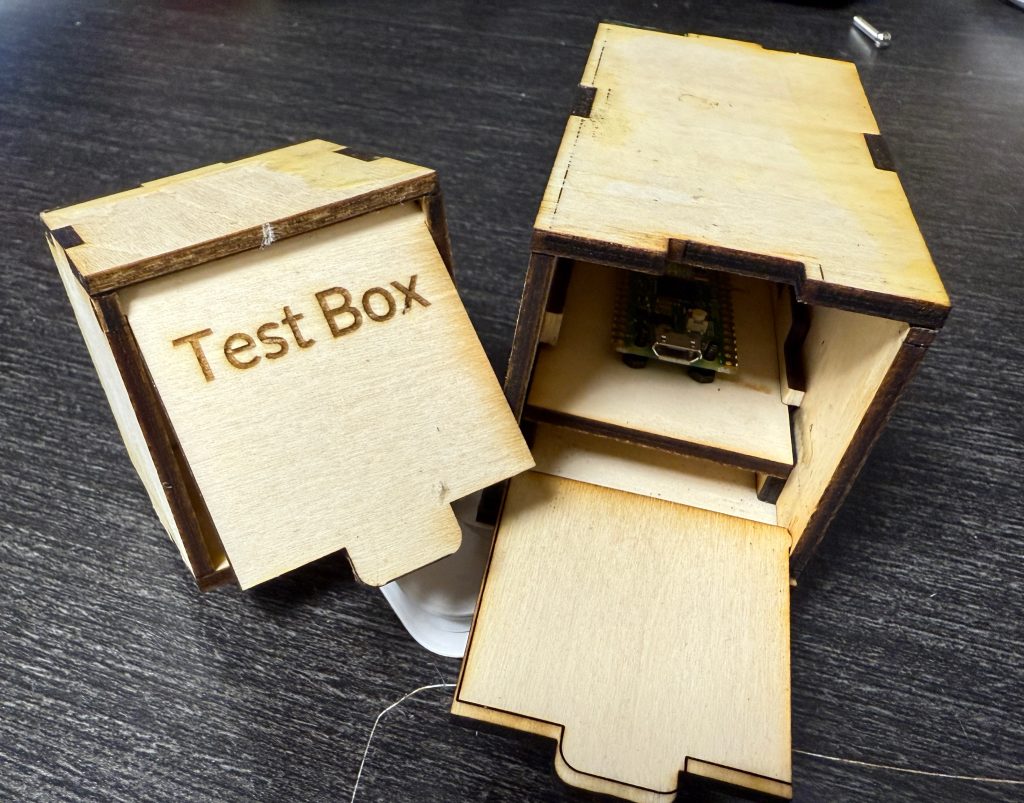
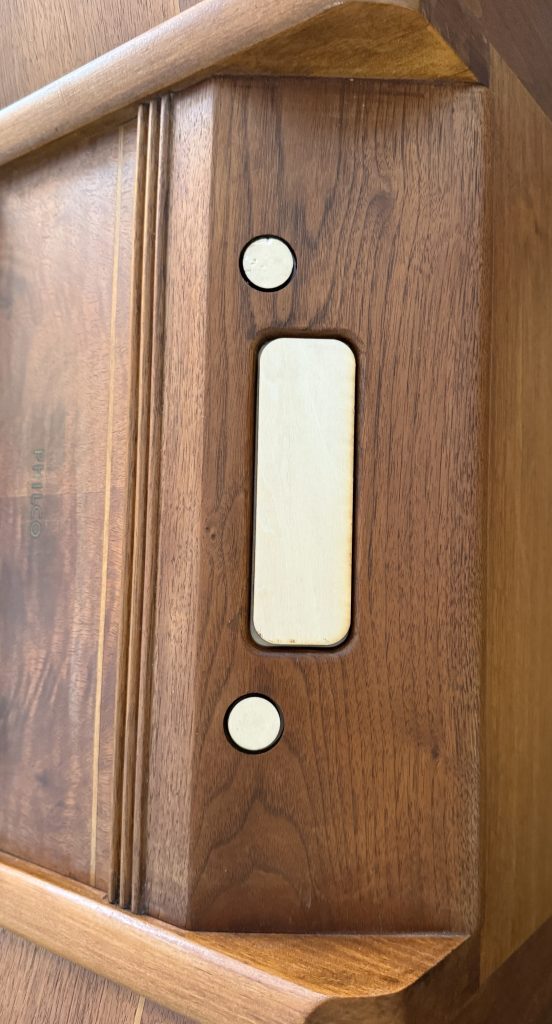
UPDATE: One difference I’ve noticed between 3d printing and laser engraving. 3d printing produces less waste. Yes there is poop, with 3d printing. But with laser cutting, you end if with piles of scrap sheets of wood. Both have their places can’t wait till mixed media printing becomes a thing.
So far mixed media printing in 3d allows you to add fabric layers, magnets or nuts while printing. Would love to see mixed wood cuttings with plastic inserts, etc..
ALFS.Com and GoDaddy Drama
Learning that is you don’t need to, don’t use GoDaddy to purchase and manage your domains. Their tech support is over seas, and is the worst. Been trying to resolve and issue with a disappearing domain for over a week. I’ve had ALFS.COM for over a decade, and one day I looked at my dashboard and it was gone. Checked my emails (I keep all of them) found I renewed back in Sept of this year (less than 5 months ago). So I contacted their support like always, using the chat feature (since I find, I can’t understand their english). Evening their text grammar and “cue card replies” very annoying.. After HOURS on the phone I thought we had it resolved. Get an email the next day saying I didn’t reply using the email address associated with the account.. And if you know anything about the history of Apple, they changed their email addresses over the years… from .mac, .icloud, to .me, etc.. Things like this have been going on for over 4 days now, back and forth… Basically GoDaddy stole a domain and resold it, and isn’t compensating me for it… Big Rip Off!
I’ll post updates.
Domain Information – found this.. I’ve owned since 1998.. Still shows hosted on my server..
Namealfs.comRegistry Domain ID1643101_DOMAIN_COM-VRSNRegistered On1998-07-22T23:00:00ZExpires On2026-07-21T23:00:00ZUpdated On2024-12-05T11:14:20ZDomain Status
clientTransferProhibited https://icann.org/epp#clientTransferProhibited
clientUpdateProhibited https://icann.org/epp#clientUpdateProhibited
clientRenewProhibited https://icann.org/epp#clientRenewProhibited
clientDeleteProhibited https://icann.org/epp#clientDeleteProhibited
Name Servers
It appears that when GoDaddy started the transfer they stuck the “funds” in a AfterNic account they created. Of course not telling me the log in, or that it was done. After finding it and creating new passwords I was able to log in.. However the funds are in limbo. It appears they do automatic transfer on some unknown cycle. So have to wait. See if transfers… But at least, AT LAST I found the funds. With NO help from Tech Support.