Cables cost less than $2 each, but had to wait almost a month to receive them from China. So I figured I’d tone out the cable and share findings. That way if you would like to make your own cable, without having to wait a month. You now can!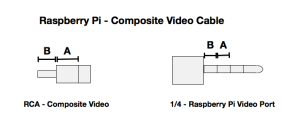
Enjoy!
(Before Geek was Cool)
Cables cost less than $2 each, but had to wait almost a month to receive them from China. So I figured I’d tone out the cable and share findings. That way if you would like to make your own cable, without having to wait a month. You now can!
Enjoy!
What to do with a Vintage Desktop Radio?
I like the look of old Vintage Radios, and wanted to reuse one of the old cases. Plus I wanted a computer in the living room, but didn’t want a modern looking box.. So..
Behold Vintage Pi.
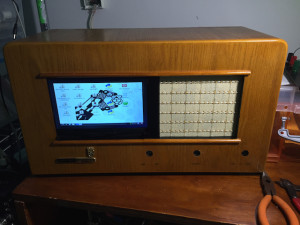
This is a work in progress, so expect more photos and videos to follow.
After two days of attempting to get Cron to execute tasks (in this case shell scripts) on a Raspberry PI, I finally got it working.
I must have read at least three dozen sites and all my Raspberry Pi books in my attempts, nothing work..
Here are some of the suggestions I found.
This one states it will edit the users cron file:
pi@raspberry ~ $ crontab -e
This one states it will display all the users schedule cron tasks:
pi@raspberry ~ $ crontab -l
I did find these useful:
pi@raspberry ~ $ /etc/init.d/cron stop
pi@raspberry ~ $ /etc/init.d/cron start
pi@raspberry ~ $ /etc/init.d/cron restart
But none triggered my script to run, then in my notes, from a past project I found:
pi@raspberry ~ $ sudo nano /etc/crontab
This allowed me to edit the system cron task list..
———————————————–
# /etc/crontab: system-wide crontab
# Unlike any other crontab you don’t have to run the `crontab’
# command to install the new version when you edit this file
# and files in /etc/cron.d. These files also have username fields,
# that none of the other crontabs do.
SHELL=/bin/sh
PATH=/usr/local/sbin:/usr/local/bin:/sbin:/bin:/usr/sbin:/usr/bin
# m h dom mon dow user command
17 * * * * root cd / && run-parts –report /etc/cron.hourly
25 6 * * * root test -x /usr/sbin/anacron || ( cd / && run-parts –repo$
47 6 * * 7 root test -x /usr/sbin/anacron || ( cd / && run-parts –repo$
52 6 1 * * root test -x /usr/sbin/anacron || ( cd / && run-parts –repo$
10 * * * * pi cd /home/pi && ./jabberfix.sh
#
———————————————–
The last task, which runs at 10 minutes after the hour, for user pi, fixes my jabber connection.
Honestly, I have no clue what the other tasks are doing. More research! But I am very happy I now know how to add my own tasks to cron.
Enjoy
~David
Over the last couple of months I’ve been playing with a new web development system, WebIOPi.
Nice system, I’ve been reading wonderful projects that people have built using the system, most duplicates of the same projects. Temperature sensors and garage door opener.
I was able to get two temperature sensors up and working on the system, fairly easy. However when I attempted to develop my own ‘programs’ for the system, I ran into a minor, well major problem. No where in the documentation does it tell you where WebIOPi gets installed. So I search the Raspberry Pi for known code, find the html part but not the python. So I posted a question on the developers site, which was passed over with a boiler plate answer, that it wasn’t within the realm of the site. Oh! Great help. Great place to send students for help. Seems the program was written for engineers for engineers.
Feel free to check out their site above, read the instructions completely before trying to use this system. As easily as it installs, it not how easily it is to use!
Well, if your need extend beyond what they have fed you.
—–
My ‘out there’ goal was to have my raspberry pi send me a text message when a GPO changes state, basically an alarm. I have a remote connected to one GPO that it will monitor to arm and disarm the system (when disarmed don’t send text messages). Seems simple enough.
—–
Haven’t given up hope, still working on the project. Will post if I figure it out.
New project in the works. Push a Raspberry Pi to its breaking point.
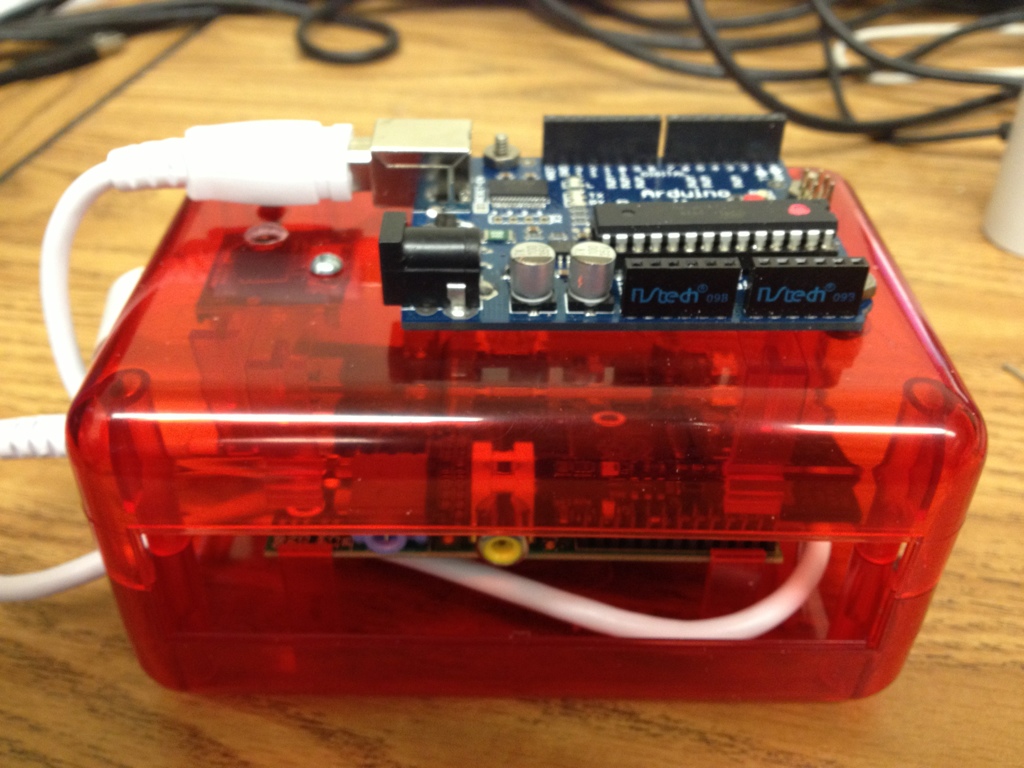
We want to develop a mobile web server to host communications between both the PIFACE and Arduino that would grant access to users from either a closed network or the Internet. Act as a Mobile Media Server using PLEX, a Mobile WIFI hot spot, serving shared files and lastly a Mobile Web Camera using a Raspberry Pi Camera Module.
Specs so far:
Planned Additions:
Services Already working: